
Two GPUs, one local model: a practical guide to dual-GPU AI inference
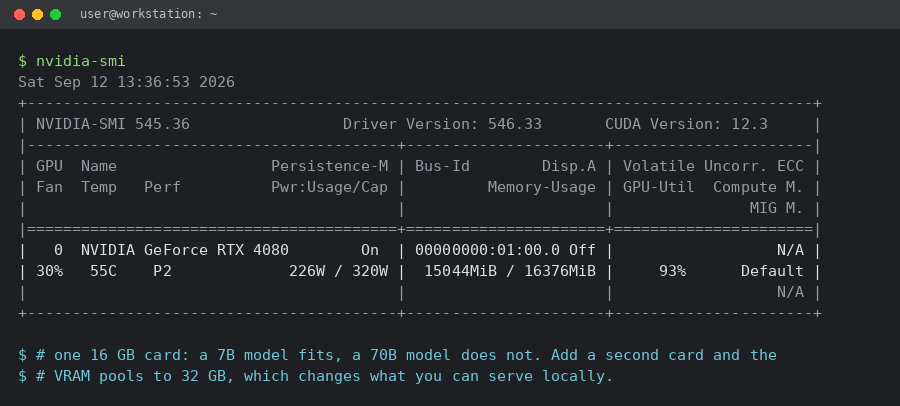
September 12, 2026There is a moment every local-AI builder hits: the model you actually want does not fit on the card you actually own. A single 16 GB card runs a 7B or 8B model comfortably and a 70B model not at all. The instinct is to buy the biggest single GPU available, but for most people the better move is a second card of the class you already have. Two 16 GB cards pool into 32 GB, two 24 GB cards into 48 GB, and two 32 GB cards into 64 GB, and that is where serious open models start to fit.
This guide is the practical version: what dual-GPU actually buys you, the two ways to split a model, the hardware that matters (and the traps), and real commands you can copy. Nothing here needs a datacentre.
What dual GPU actually buys you
It is almost entirely about VRAM, not raw speed. Inference is memory-bound: the weights, the KV cache and the activations all have to live somewhere. Pooling two cards doubles the addressable memory, which is what lets you step up a model class. Speed matters too, but the jump from “does not fit” to “runs” is the real event.
| Pair | Pooled VRAM | What fits (4-bit) |
|---|---|---|
| 2 x 16 GB | 32 GB | 32B class, 70B if heavily quantised and short context |
| 2 x 24 GB | 48 GB | 70B at 4-bit with a real context window |
| 2 x 32 GB | 64 GB | 70B with long context, larger MoE models |
Two ways to split a model across two cards
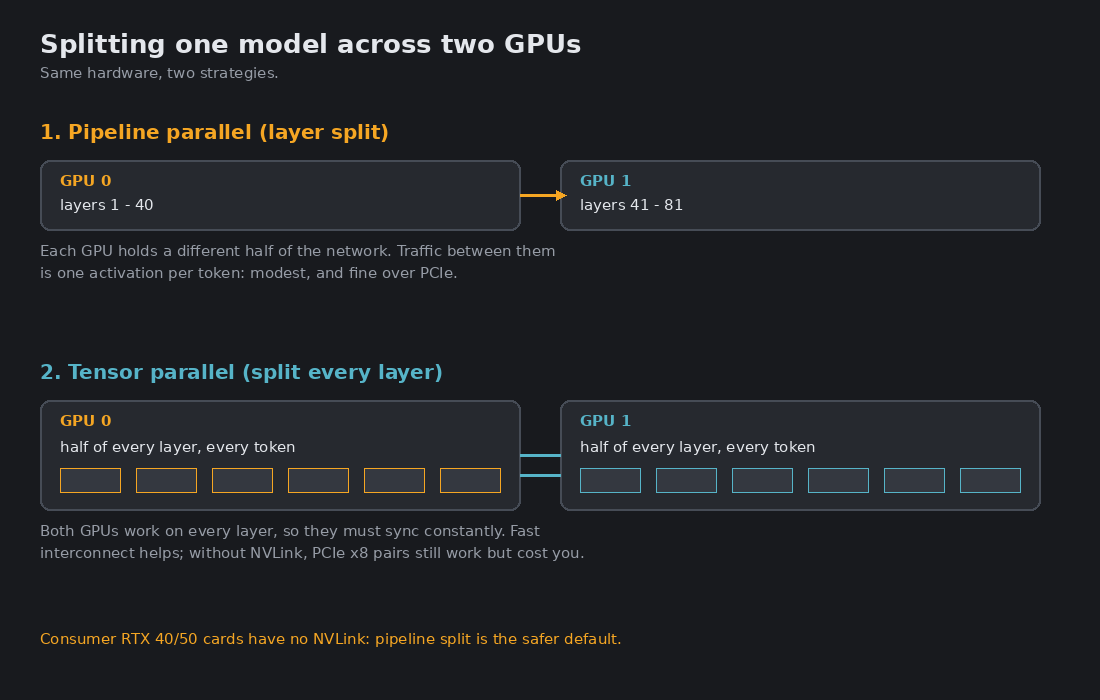
Pipeline parallel (layer split). The first card holds the early layers, the second holds the later ones. Data flows through one card and then the other. Inter-GPU traffic is a single activation per token, so it survives PCIe perfectly well. This is the default for most two-card home setups and the mode llamacpp uses with --split-mode layer.
Tensor parallel. Every layer is cut in half, with both cards working on every token and synchronising at each step. It scales better in throughput but talks across the interconnect far more often. With NVLink it is excellent. Without NVLink, which is every consumer RTX 40 and 50 series card, you are on PCIe and the benefit narrows.
Running it: vLLM with tensor parallel
vLLM exposes tensor parallelism directly. Point it at a quantised model and set the parallel size to the number of cards:
vllm serve Qwen/Qwen2.5-72B-Instruct-AWQ \
  --tensor-parallel-size 2 \
  --gpu-memory-utilization 0.92 \
  --max-model-len 16384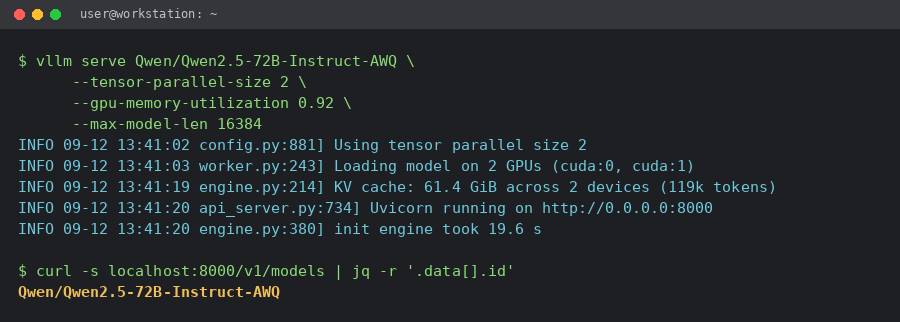
Running it: llamacpp with a layer split
If you prefer GGUF models, llamacpp offloads all layers and splits them by layer, which is the PCIe-friendly path. The --tensor-split 1,1 argument gives each card an equal share:
llama-server -m Qwen2.5-72B-Instruct-Q4_K_M.gguf \
  --n-gpu-layers 999 --split-mode layer --tensor-split 1,1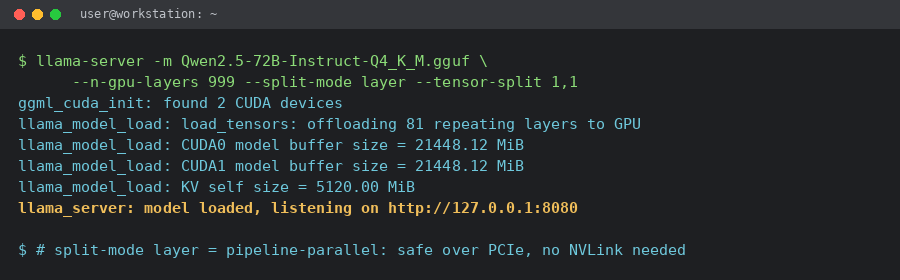
The hardware that actually matters
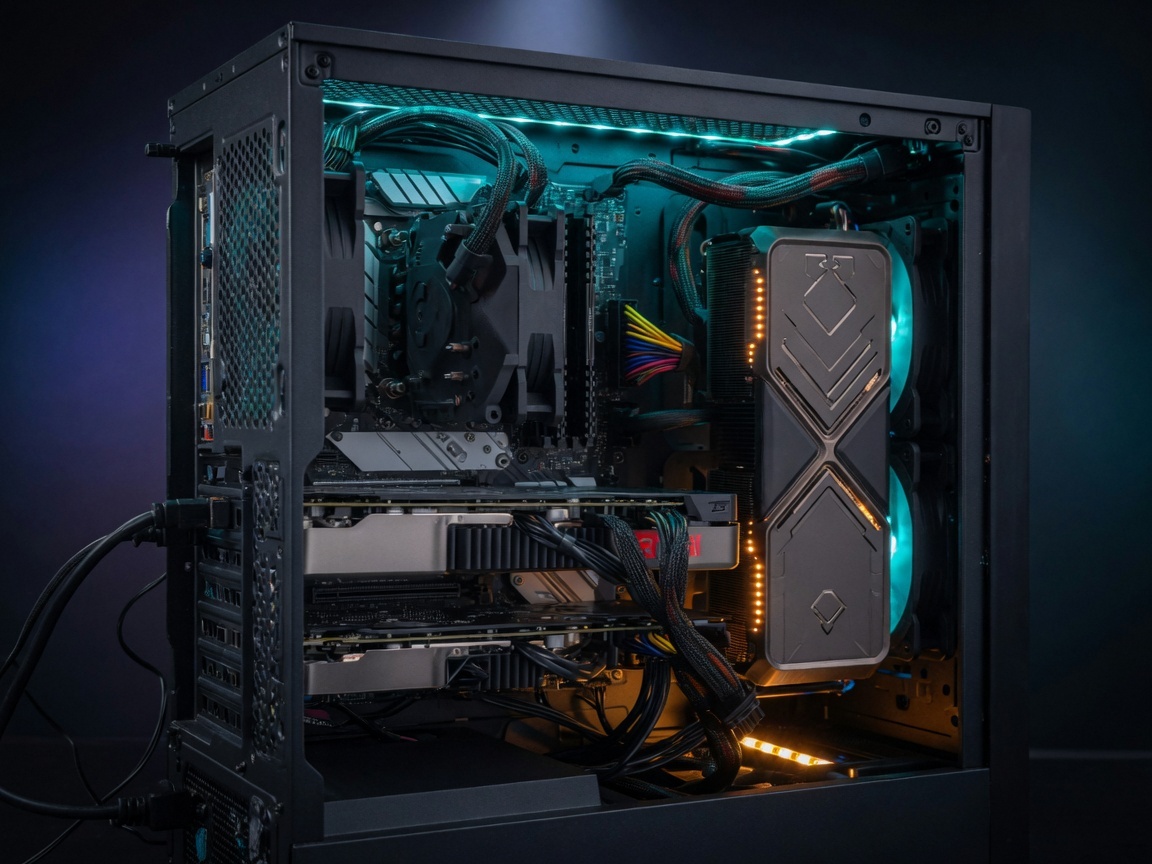
Motherboard and PCIe lanes. A second card needs a second physical slot wired to the CPU, not a chipset slot. Most consumer boards split the 16 CPU lanes into x8 / x8 when both slots are populated. That is fine for pipeline parallelism; it just caps tensor parallelism. PCIe 5.0 x8 is roughly PCIe 4.0 x16 in bandwidth, so a current board helps.
Power supply. This is where builds fail. Add the board power of both cards and leave real headroom: two 300 W cards want a 1000 W unit, two 360 W cards around 1200 W, and two flagship 575 W cards are a 1500 to 1600 W proposition on an ATX 3.1 supply with two 12V-2×6 connectors. Cheap adapters on a loaded rail are how you lose a card.
Space and airflow. Modern cards are three to four slots thick. Two of them need either a large case or an open frame, and the upper card will recycle the lower card’s hot air unless you feed it cool intake. A riser cable can help, but use a good one: cheap risers cause link errors under sustained load.
NVLink. Worth stating plainly: the RTX 3090 and 3090 Ti had it, and the 40 and 50 series dropped it. On current consumer cards you are on PCIe, so plan around pipeline parallelism first and treat tensor parallelism as a throughput bonus.
Where to buy the cards
For a two-card build the practical question is VRAM per pound. A pair of 16 GB cards is the cheapest way into a 32 GB pool, while a pair of 32 GB cards is the no-compromise option. If you are buying in the UK and want the parts in one place with current pricing, it is worth starting from a dedicated graphics-card range rather than a general listing. These are the graphics cards available here, sorted by what is in stock.
Three concrete starting points from that range:
- the flagship ASUS ROG Astral RTX 5090 32GB, which pairs into a 64 GB pool
- the MSI GeForce RTX 5080 16GB, a common choice for a 32 GB two-card build
- the Gigabyte GeForce RTX 5070 Ti 16GB, the value route into the same 32 GB pool
Check current stock and prices on the category page before you commit, because GPU pricing moves weekly.
Checklist before you buy the second card
- Does the motherboard split CPU lanes into a true x8 / x8 pair?
- Is the PSU large enough with two native 12V-2×6 connectors?
- Will two thick cards physically fit, with cool air reaching the upper one?
- Which split do you intend: pipeline (safe, PCIe-friendly) or tensor (faster, needs bandwidth)?
- Which model and quantisation exactly: does the pooled VRAM cover weights plus context?
Two mid-range cards usually beat one flagship for local inference, because the wall is memory, not clock speed. Measure twice, then buy the pair.
Find out more: AI Glossary
New to the jargon? These terms from the article have their own plain-English page in our AI Glossary:
Jesus here. Dual GPU isn’t plug-and-play. Double VRAM, double failures. Holik Studios can’t fix your lanes, PSU, thermals. Blame your rig.
Ah yes, Jesus, the eternal wisdom of “double VRAM, double failures” because clearly the only alternative to plug-and-play is blaming the rig and calling it a day. I keep catching myself wanting to agree, since I’m the sort of person who reads PSU manuals for fun and whose worldview includes a healthy suspicion of thermal miracles, but that’s exactly where I trip over the argument: lanes, PSU headroom, and cooling aren’t mysterious punishments from the GPU gods, they’re engineering constraints you plan around.
I’ll happily give Holik Studios credit for not pretending otherwise a company that won’t sell you fairy dust is refreshing but “blame your rig” feels like skipping the part where dual-GPU setups are a project, not a personality test. So no, I don’t buy that double hardware automatically means double failure; I just think it means double homework, and some of us are weird enough to enjoy that.
Unpopular opinion time: dual GPU is not some cursed plug-and-play nightmare, and Jesus is overselling the doom double VRAM doesn’t magically mean double failures, it just means you have to size the PSU, lanes, and airflow like an adult instead of hoping the model gods sort it out. Holik Studios is solid and I’ve got respect for them being straight about not fixing bad builds, but “blame your rig” is a cop-out when most “dual-GPU failures” I’ve seen are just people slapping a second card into a case with zero planning. I’m Lily and my worldview is basically “read the manual, check the lanes, log the thermals” before calling the hardware evil. A second GPU adds failure points, sure, but so does every fan, riser, and cable if your baseline rig is janky, that’s not the concept’s fault. So yeah, I’ll stay on the unpopular side: dual GPU can be practical if you treat it as a build problem, not a magic trick.